


Google Messages
Google LLC
When I want a messaging app that feels familiar without asking me to build a new social circle around it, I usually start with Google Messages. It is Google LLC’s communication app for Android, and its appeal is straightforward: it puts ordinary texting, group conversations, photos, and day-to-day coordination in one place without the heavier community features found in many chat platforms. I see it as a practical default rather than an app that tries to reinvent messaging.
That distinction matters. The best messaging service depends less on a long feature checklist and more on who you need to reach. If your family, school group, workplace, or customers already use regular phone numbers, this app is easy to understand. If everyone you know is committed to a separate encrypted messenger, a social platform, or an iPhone-only conversation, another option may fit better. My experience with Messages is that it succeeds by reducing friction, while also inheriting some of the limitations of phone-based communication.
How I decide whether Google Messages is the right fit
I judge a messaging app on four practical questions. First, can I reach the people I need without persuading them to install something? Second, is it comfortable for quick replies as well as longer conversations? Third, does it handle mixed groups and media without becoming confusing? Finally, does it offer enough privacy and flexibility for the kind of conversations I actually have?
Related News

Google Chrome: Your Essential Mobile Browsing Companion

Why Contacts is Your Go-To App for Effortless Network Management

Why Snapchat Keeps Users Coming Back for More
Messages performs particularly well on the first two points. Since it is built around phone messaging, it is useful for contacting people who may not share the same preferred app. That makes it different from services where every participant must create an account, accept an invitation, or remember to check another inbox. I can use it for a quick appointment confirmation, a family update, or a conversation with someone who rarely uses chat apps.
The trade-off is that phone-based messaging is not the same experience as a closed chat network. The quality of a conversation can depend on the devices and messaging services used by everyone involved. A group may feel modern when participants support richer messaging, then become more basic when someone joins through a different setup. I would therefore choose it for reach and convenience before choosing it for advanced collaboration.
Related News

Why WhatsApp Messenger Still Makes Everyday Communication Feel Easy

Jurassic World: The Game Is the Better Dino Tycoon for Strategic Players

Threads in Real Life: Who Should Join, Lurk, or Leave

How SHEIN Turned Shopping Into an Endless Content Feed

How to Make Fortnite Feel Smarter on Mobile

Should You Switch to Microsoft Outlook on Mobile?
The app is free, aimed at Everyone, and belongs to the Communication category. It has been available since November 12, 2014, which helps explain why it feels like an established part of the Android experience rather than a new experiment. Its public reception is strong, with a 4.4 average from around 43 million ratings and more than 10 billion installs. Those figures do not guarantee that it will suit every person, but they do show how deeply familiar the app has become.
The everyday conversations it handles best
My favorite use case is ordinary coordination. Imagine leaving work and needing to tell a family member that you will arrive later, while also sending a photo of the item they asked you to buy. I can keep the message and image in the same conversation instead of moving between a text app and a separate social messenger. For a small group planning dinner, a school pickup, or a weekend visit, that simplicity is often more valuable than a large collection of extras.
It is also useful when I do not know which app another person prefers. A new service provider, a neighbor, or a relative who changes phones may still be reachable through a number. That makes Messages a sensible fallback even for people who use another platform as their main chat space. I would not necessarily make it my only communication tool, but I appreciate having one dependable place for contacts outside my usual circles.
Gallery
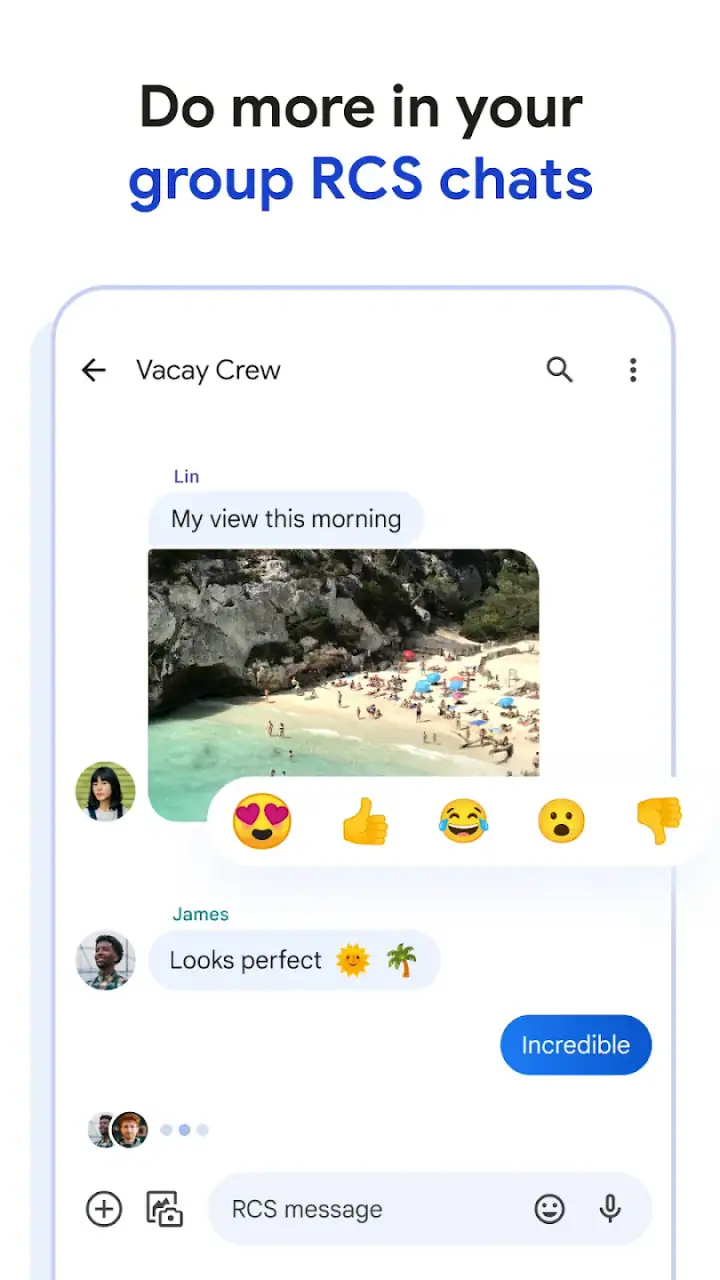
Short conversations are where the design makes the most sense. I can open a thread, reply, and move on without passing through a feed, a channel list, or a large social dashboard. This makes the app feel calmer than many all-purpose communication platforms. The focus stays on the person or group I am contacting.
What makes the experience more useful than basic texting
Messages is not limited to the bare minimum idea of sending typed words. In supported conversations, richer messaging can make group chats and media sharing feel closer to a modern internet messenger. The important practical point is that the experience is not identical in every conversation. I pay attention to the indicators and available actions in each thread rather than assuming every contact has the same capabilities.
That variation is one of the app’s less obvious learning points. When a conversation changes from a richer messaging mode to a more traditional one, some actions may behave differently. Images may be handled differently, group features may feel less polished, and delivery expectations can change. I avoid sending something time-sensitive until I know the thread is behaving as expected. This small habit prevents confusion, especially in mixed-device groups.
Another useful workflow is keeping conversations organized by purpose instead of treating the inbox as a permanent archive. I use a simple mental rule: personal threads stay easy to find, temporary coordination gets cleaned up once the task is finished, and important information is copied somewhere more durable. A messaging thread is convenient, but I would not rely on it as my only record for travel details, work instructions, or documents I may need months later.
For media, I also consider the recipient before sending. A photo that looks fine in one conversation may not arrive with the same quality or speed in another. If the original file matters, I use a more suitable sharing method rather than assuming a text conversation is a full file-transfer system. That is not a flaw unique to Messages, but it is an important boundary for anyone comparing it with dedicated cloud or collaboration tools.
Where Google Messages wins against common alternatives
Compared with a social network’s direct messages, Messages feels less distracting. There is no need to enter a public feed or manage a separate social identity just to contact someone. I find that useful for relatives who want communication without the rest of a social platform, and for practical conversations that do not need reactions, stories, or public profiles.
Compared with account-based chat services, its strongest advantage is reach. A person may not want another app, may use a different service, or may not be comfortable creating a new account. Phone-based messaging gives me a better chance of starting the conversation immediately. This is especially valuable for one-off contact, local arrangements, and situations where I am not sure what the other person uses.
Compared with a manufacturer-specific messaging app, Google’s version is a more natural choice for people who move between Android phones or prefer a consistent Google-made experience. I would not describe that as a reason for everyone to switch, but it can reduce the adjustment involved when changing devices. The app’s long presence and broad adoption also make it easier to recommend to someone who wants a familiar starting point.
Its biggest win is not one spectacular feature. It is the combination of a recognizable interface, direct access to phone contacts, and enough modern messaging support for everyday conversations. I can recommend it to a friend who wants fewer communication apps without pretending it replaces every specialized messenger.
Where another category may fit better
I would look elsewhere when privacy requirements are the main decision. A dedicated privacy-focused messenger may be a better choice for sensitive conversations if its security model and contact network match my needs. Messages can be convenient, but convenience and reach are not the same as choosing a service specifically for private communication. For confidential work or personal matters, I compare the protections and habits of the whole group rather than selecting an app only because it is already installed.
A separate team-chat service is also better for projects. When a conversation needs searchable files, persistent channels, task discussions, or structured collaboration, a messaging inbox can become difficult to manage. Messages is excellent for “Are we still meeting at six?” but less suitable as the main workspace for a long-running project. I prefer a tool designed around shared work when the conversation must remain organized for many people.
For large communities, interest groups, or international contacts, an account-based platform may offer a stronger experience. Such services often make it easier to manage identities, communities, and ongoing group spaces. The downside is that everyone usually needs to join the same service. I accept that extra setup when the group will communicate frequently enough to justify it.
iPhone-heavy groups can also change the calculation. If most of my important conversations already happen in a platform that everyone in the group checks, switching only one person to Messages would create another inbox rather than solve a problem. I choose the service that keeps the group together, even when it is not my personal favorite. A messaging app is only useful when the people I need are willing and able to use it.
Small frictions I noticed in real use
The first friction is inconsistency between conversations. Messages can feel polished in one thread and much more basic in another, depending on what the other participants support. New users may assume that every group has identical features, then wonder why a photo, reaction, or group action behaves differently. I recommend treating each thread as its own environment until you have seen what it supports.
The second is that an inbox can become noisy quickly. Family updates, delivery notices, appointment reminders, and one-time conversations all sit beside personal chats. I find the app manageable when I regularly archive or remove threads that no longer matter. Without that habit, finding the one conversation I need can take longer than it should.
Notifications require similar judgment. Messages is useful for time-sensitive communication, but not every automated text deserves immediate attention. I adjust notifications for noisy conversations and avoid letting every low-priority update interrupt the day. This is a simple practice, yet it makes a noticeable difference to how calm the app feels.
I also would not use it as a replacement for a full notes or document system. Important addresses, booking details, and instructions can disappear into a long conversation. When a message contains something I will need later, I save the information in the appropriate place. Messages is the delivery route, not always the best long-term filing cabinet.
The real cost of switching
Because the app is free, the main cost of switching is not money. It is coordination. If I move from another messenger, I need to tell people where to find me, accept that some contacts may continue using the old service, and decide which conversations deserve to be moved. That effort is small for a couple or a family, but it grows quickly for a club, workplace, or large friend group.
I would start with one practical conversation rather than announcing a complete migration. If the new thread works well for a week, I would move another group and keep the old app available until important contacts have followed. This staged approach avoids the common mistake of switching first and discovering afterward that a key person never checks the new inbox.
There is also a habit cost. People accustomed to a dedicated chat platform may miss its particular organization, media handling, or community tools. Someone coming from a simple texting app may instead appreciate the richer conversation options immediately. My advice is to compare the way you actually communicate, not the number of icons on the screen. If most of your messages are short and personal, Messages is likely to feel natural. If you manage many communities, files, or long-running projects, the change may feel like a step backward.
On a new Android phone, I would make sure Messages is the app I expect to open for texts and then test a conversation with a frequent contact. I would send a normal message, try a group thread, and share a photo before depending on it for an urgent exchange. That quick check reveals whether the experience matches my contacts and avoids discovering a compatibility issue during an important conversation.
Who should use it, and who should skip it
I recommend Messages to Android users who want a straightforward communication app, regularly contact people with different phone habits, or prefer not to maintain several separate chat services. It is particularly suitable for families, casual group planning, appointment coordination, and anyone who values a familiar inbox over a social platform full of extra features.
I would also recommend it as a companion app to people who already use another messenger. There is no rule that says one service must handle every conversation. Messages can cover contacts who are not on the preferred platform, while a privacy-focused or community-focused service handles conversations that need those specific strengths.
I would skip it as my primary choice if every important contact already uses a different service with stronger privacy, better group organization, or better support for international communities. I would also avoid making it the center of a work process that depends on searchable project history and shared files. In those situations, the convenience of phone-based reach does not outweigh the organizational limits.
My recommendation after weighing the trade-offs
Google Messages is a sensible default because it solves a common problem without demanding much from the user. It is free, accessible to an Everyone audience, and developed by Google LLC. With around 674 thousand written reviews alongside its broad rating history, it has a substantial public track record, but I still judge it by the needs of the people I communicate with rather than by popularity alone.
My clear recommendation is to use it when your priority is reliable everyday contact across different phone users. Start with the conversations that benefit from direct, uncomplicated messaging, keep important information organized outside the inbox, and pay attention to how each group thread handles richer features. Those habits reveal the app’s strengths while avoiding its most common frustrations.
I would not call it the universal best messenger. A dedicated private chat service, a structured team platform, or a community-based alternative can be better in the right setting. But for an Android user who wants Google’s established communication app to handle ordinary texts and modern conversations in one place, Messages is an easy one for me to recommend. Its value comes from being available when communication needs to be practical, familiar, and uncomplicated.
FAQs for Google Messages
What are the key features of Google Messages?
Google Messages offers a range of features designed to enhance messaging experiences. Key features include RCS support for richer text messages, end-to-end encryption for private chats, a user-friendly interface, integration with Google Assistant, and the ability to send photos, videos, and audio messages. It also supports SMS and MMS for broader compatibility.
Is Google Messages secure for private conversations?
Yes, Google Messages prioritizes user privacy with end-to-end encryption for one-on-one conversations. This ensures that only the sender and recipient can read the messages, safeguarding them from potential eavesdropping. However, it's important to note that this encryption currently applies to individual chats, not group messages.
Can I use Google Messages on multiple devices?
Google Messages can be accessed on multiple devices, but with some limitations. While it primarily operates on Android smartphones, you can use the Messages for Web feature to sync your conversations with a computer. However, the app doesn't fully support native cross-device syncing like some other messaging platforms.
How does Google Messages handle multimedia content?
Google Messages allows users to send and receive multimedia content such as photos, videos, and audio messages. The app supports MMS for sharing media and uses RCS for higher quality and faster delivery when supported by carriers. It also integrates Google Photos for easy sharing and storage of images and videos.
Are there any costs associated with using Google Messages?
Google Messages itself is a free app available for download on Android devices. However, sending SMS and MMS may incur charges based on your mobile carrier's messaging plan. If you're using data to send messages via RCS, ensure you have a suitable data plan to avoid additional charges.
Pros
- Seamless integration with Google services.
- Rich media sharing with RCS support.
- Clean and intuitive user interface.
- Smart reply for quick responses.
- Efficient spam protection features.
Cons
- RCS not available on all networks.
- Limited customization options.
- No end-to-end encryption for SMS.
- Requires Google account for full features.
- Occasional syncing issues with devices.


